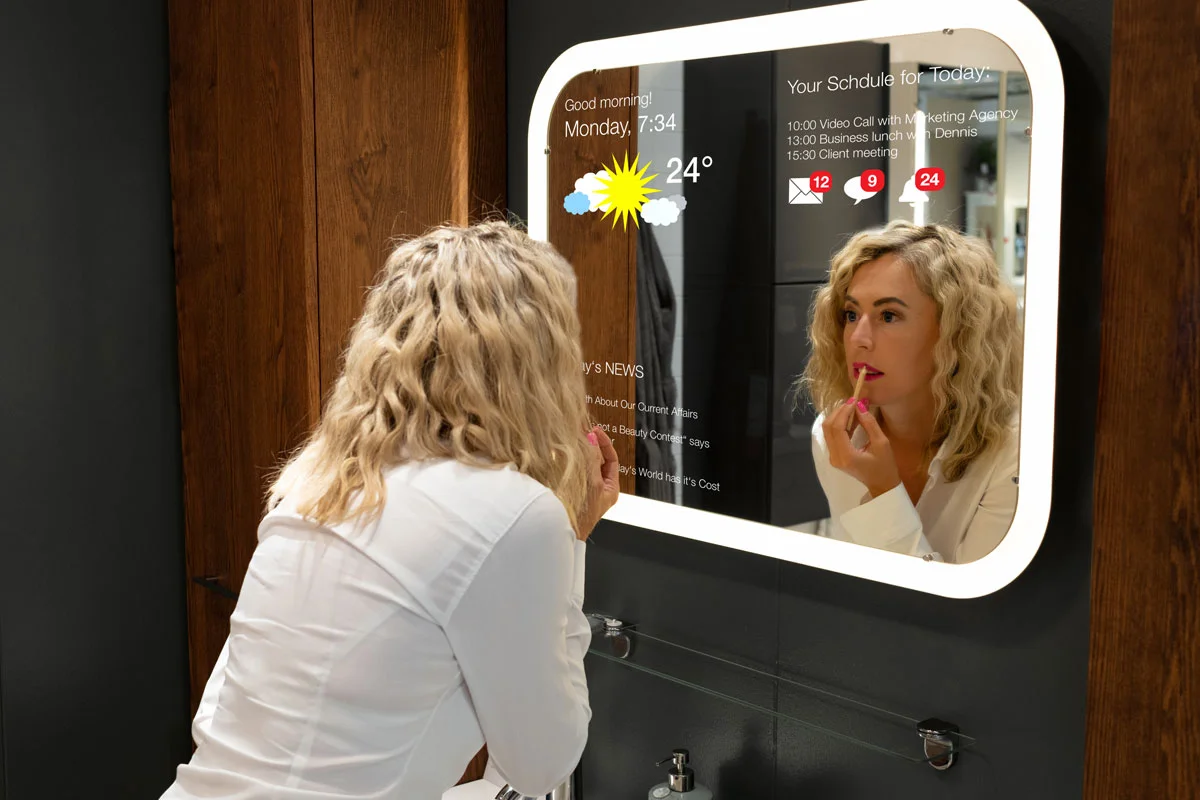
Smart Home Setup Basics
Smart home systems combine sensors, controllers, apps, and a home network. A typical setup starts with a hub or a phone app, then adds devices such as smart plugs, door sensors, thermostats, cameras, and voice assistants. The “smart” part depends on radio links (often Wi‑Fi, Zigbee, Z-Wave, or Thread), plus cloud services for remote access and firmware updates. If any dependency is weak, the experience turns into repeated pairing, failed automations, and app notifications that never match reality.
Example: a smart plug that turns on a humidifier at 7:00 AM can still fail if the plug uses a protocol your hub does not support, or if your Wi‑Fi drops in that room. Another example: a motion sensor can detect movement locally but still delay alerts if the app relies on cloud processing. A careful setup treats the home network and device compatibility as the first design problem, not the last.
Main Setup Pain Points
People often buy devices in a hurry, then discover the devices require different ecosystems. A Zigbee sensor may work only with a Zigbee hub, while a Thread device needs a Thread border router. Wi‑Fi devices can work without a hub, but they still depend on stable 2.4 GHz coverage and a router that handles multicast and DNS reliably. When the ecosystem mismatch happens, the time cost shows up as repeated resets, re-pairing, and “device offline” loops.
Another trap is assuming that “works on my phone” equals “works everywhere.” Many smart devices pair using Bluetooth or a local setup mode, then switch to Wi‑Fi or a mesh protocol. If your router uses band steering, separate SSIDs, or aggressive roaming, the device may connect during setup but struggle later. I’ve seen setups where the device paired fine on a temporary hotspot, then failed after moving to the main network—an issue that looked like a device fault but was actually a network behavior change.
Automation complexity also wastes money. A schedule that triggers a camera recording at the same time as a motion sensor can create event storms, which then trigger more notifications and more app activity. Some platforms throttle events or batch them, so the user perceives “missed” triggers. The supporting technologies here include event rules, local processing versus cloud processing, and how the platform handles rate limits.
Solutions And Practical Advice
Plan Compatibility Before Buying
Start with a short compatibility map: list the protocols you already have (Wi‑Fi, Zigbee, Z-Wave, Thread) and the controller you plan to use. Check whether each device supports that controller’s protocol and whether it supports local control. If you use a hub, confirm the hub model supports the device’s radio and pairing method. A small aside: a hub firmware update on 2024-11-15 changed how some Zigbee devices were handled, and a few users had to rejoin devices after the update—so plan for at least one maintenance cycle.
Use a purchase rule: buy one “test device” first. Choose a low-cost sensor or smart plug that exercises the same protocol as your planned devices. Pair it, verify it stays online for a week, and confirm the automation triggers behave as expected. This reduces the chance that you spend on multiple devices that share the same incompatibility.
Stabilize Wi‑Fi And Coverage
For Wi‑Fi devices, prioritize 2.4 GHz coverage because many smart devices use it for better range. Place access points so that the device’s room has a strong signal; a weak signal often looks like “random offline” rather than a consistent failure. If you use a mesh system, confirm that the smart device can roam without dropping; some mesh setups handle roaming well for phones but poorly for low-power IoT devices.
Check router settings that commonly cause trouble: separate SSIDs for 2.4 GHz and 5 GHz, stable DHCP leases for the controller, and DNS settings that do not block local discovery. If your router supports it, disable “smart connect” temporarily during setup. I once saw a setup where the device paired only after switching from a combined SSID to a dedicated 2.4 GHz SSID, then worked normally afterward.
Stage Automations With Local Tests
Build automations in layers. First, verify the device reports state correctly in the app. Second, test a single trigger action, such as turning a plug on when a sensor opens. Third, add time windows and conditions. Keep the first automation simple for 24–72 hours so you can observe patterns without event storms.
When possible, prefer local execution for core actions. Local execution reduces dependence on cloud availability and can reduce latency. If your platform supports it, test both “local” and “cloud” behaviors by temporarily disabling internet access and checking whether the device still performs the action. Some features, like remote viewing of cameras, will stop without internet, but basic triggers should still work if local rules are configured.
Control Costs With Storage And Accounts
Before buying cameras or doorbells, compare storage options: subscription cloud storage versus local recording to an SD card or network drive. Confirm whether the device supports local recording and whether the app still shows events without a subscription. For health-minded households, this matters because you may want reliable event history for safety checks without paying for features you do not use.
Also check account dependencies. If the device requires a vendor account for basic operation, note what happens if the account is locked or the vendor changes pricing. A practical approach is to keep a list of every device’s required accounts and the minimum subscription tier that unlocks the features you rely on.
Realistic Outcome Examples
Apartment With Mixed Protocols
An apartment renter bought smart door sensors and a smart thermostat from different brands. The sensors used Zigbee, while the thermostat used Wi‑Fi only. The renter tried to pair everything through a single app and spent two evenings resetting devices because the Zigbee sensors could not join the thermostat’s network. After switching to a Zigbee-capable hub and keeping the thermostat on Wi‑Fi, the sensors stayed online and the door-open notifications stopped duplicating. The total time dropped from repeated pairing sessions to a single week of monitoring after the hub setup.
House With Weak Coverage
A family installed Wi‑Fi smart plugs for a humidifier and a dehumidifier. The plugs worked near the router but went offline in the basement. The first fix attempt was replacing the plugs, which wasted money. The real issue was 2.4 GHz coverage and router roaming behavior; after adding an access point and separating SSIDs during setup, the plugs stayed connected and the scheduled cycles ran consistently. The lesson was that “offline” often reflects network behavior rather than device failure.
Comparison Planning Checklist
| Decision Point | What To Check | Common Trap | Better Next Step |
|---|---|---|---|
| Controller choice | Supported protocols and local control | Buying devices that require different hubs | Buy one test device and verify pairing for a week |
| Wi‑Fi reliability | 2.4 GHz coverage and roaming behavior | Assuming setup success means stable operation | Separate SSIDs during setup; monitor “offline” events |
| Automation rules | Trigger frequency and event throttling | Stacking multiple triggers without testing | Test one rule for 24–72 hours before adding conditions |
| Camera costs | Local recording and subscription requirements | Assuming recording works without payment | Compare storage options and test event history access |
Mistakes That Waste Money
Buying devices that share the same marketing label but use different radio protocols creates hidden costs. A user may end up with multiple hubs, extra power supplies, and duplicated apps. The fix is to verify protocol support and pairing requirements before purchase, then keep the first devices aligned with that plan.
Overbuilding automations early wastes time. When you add multiple triggers, time schedules, and conditions at once, you cannot tell which rule caused a failure. A better approach is to test each rule in isolation and keep a short change log. If you use a home automation app like Home Assistant, note the version you’re running; a minor update can change how device entities behave, and debugging becomes harder when you forget what changed.
Ignoring power and placement costs creates recurring frustration. Battery sensors placed too far from the hub can drain batteries faster, and Wi‑Fi devices placed behind thick walls can disconnect. People often replace batteries or devices instead of moving the hub or adding a repeater. The practical move is to measure signal quality where the device sits, then adjust placement before buying replacements.
Skipping privacy and data review leads to avoidable surprises. Cameras and microphones can send data to cloud services, and some apps offer granular settings while others bundle features behind subscriptions. Review what gets stored, how long it is retained, and whether local recording exists. If the device supports local-only modes, test them so you know what still works when the internet connection is down.
FAQ
Why do devices show as offline after setup?
Offline status usually comes from weak Wi‑Fi coverage, router roaming behavior, DNS issues, or a protocol mismatch with the hub. Confirm 2.4 GHz signal strength at the device location and verify the hub supports the device’s radio.
Do smart home automations work without internet?
Some local automations continue when the internet is down, while remote access and cloud-dependent features stop. Test by temporarily disabling internet and triggering the sensor to see which actions still run.
What protocol should I choose for sensors?
Zigbee and Z-Wave often suit battery sensors because they use low-power radios, while Wi‑Fi can work for mains-powered devices. Thread can work well in supported ecosystems, but it still needs a Thread border router.
Are subscriptions required for smart cameras?
Many cameras require a subscription for cloud recording history, while others support local recording to an SD card or network storage. Check whether event history and playback work without the paid plan.
How do I avoid buying incompatible devices?
Match each device’s protocol to your controller’s supported radios and pairing method. Start with one test device, verify stable operation for several days, then expand the system.
Author's Insight
Smart home failures rarely come from “bad luck”; they come from mismatched dependencies such as radio protocols, router behaviors, and cloud versus local execution. A careful setup treats the network as infrastructure, not an afterthought, and it tests one change at a time. I do not have personal clinical experience, but the same reliability mindset used in health-adjacent safety planning applies here: reduce variables, measure outcomes, and document what changed. When you plan purchases around protocol compatibility and local control, you cut the time spent on resets and the money spent on duplicate hubs.
Key Takeaways
- Verify protocol compatibility and local control before buying multiple devices.
- Stabilize 2.4 GHz Wi‑Fi coverage and watch for roaming-related disconnects.
- Test one automation rule at a time for 24–72 hours before adding more conditions.
- Compare camera storage options and subscription requirements using real playback or event history tests.
- Keep a short change log and note firmware or app versions when troubleshooting.