Subscription Overpay Basics
Subscription overpaying usually comes from mismatches between what you pay for and what you actually use. A common pattern is a free trial that converts to a monthly plan, then add-ons appear later, then you forget to cancel after a life change. In the US, the Federal Trade Commission has long warned consumers about negative option marketing, where charges continue unless you act. In 2023, the FTC also reported that consumers lost money through recurring charges and subscription traps, which shows the problem is not rare.
Overpaying is not always fraud. It often comes from how billing UI works: the app shows “Manage plan,” while the real decision sits in a separate “Billing” page. Many services bill monthly, but some charge annually with a discount that still costs more than you would spend if you used the service only part of the year. One measurable clue is the effective cost per day: a $12.99 monthly plan costs about $0.43 per day, but a $129 annual plan costs about $0.35 per day, and the difference flips if you cancel after 2–3 months.
Track your real usage.
Pain Points And Traps
People overpay when they treat subscriptions like one-time purchases. A subscription is a continuing contract, so the key variable is renewal behavior, not the initial signup. When you forget the renewal date, you lose the chance to cancel before the billing cutoff, and the charge posts even if you stop using the service the same day.
Skip the timer apps. They add one more thing to manage.
Another pain point is add-on stacking. A base plan might be $9.99, then you add a “family” seat, then you add a storage tier, then you buy a premium channel inside the same account. Each add-on may have its own renewal schedule, so you cannot judge cost by looking at one line item. This matters because the user’s behavior often changes: you might cancel one add-on after a move, but the other add-ons keep renewing.
Billing pages hide the truth.
People also misread “usage.” A service can show “active days” while you still pay for features you never use, like offline downloads or advanced reports. On the health side, this matters because the subscription may include content you do not actually follow, such as meal plans that conflict with your dietary needs. The mechanism is simple: your brain remembers the last time you used the app, not the last time you opened the specific feature you paid for.
Stop Overpaying With Audits
Do a 10-Minute Charge Audit
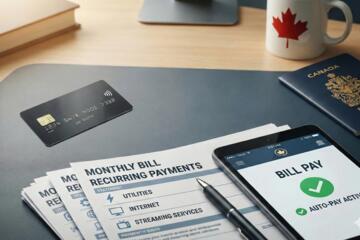
Start with your last 2 months of statements and list every recurring charge. Use the merchant name exactly as it appears on your bank or card, then group charges by service. This works because you cannot fix what you cannot see, and bank statements show the real billing source. In practice, you can do this in 10 minutes by opening your banking app, filtering for “recurring” if your bank offers it, and copying the amounts into a note.
Write down the renewal date.
Look for patterns like $9.99 every month plus $19.99 every quarter, which often signals an add-on or a separate plan. If you see a charge that you do not recognize, check the email receipt for the service name and the signup channel. I find it helps to include the last 4 digits of the card used, because some accounts switch payment methods after a card replacement.
Calculate Cost Per Useful Session
Convert your subscription price into cost per “useful session” rather than cost per month. Pick one measurable unit: a workout plan you complete, a course module you finish, or a week of meal tracking you actually do. This works because it ties money to behavior, and it reveals when you pay for features you never touch. For example, if a $14.99 monthly plan supports 12 workouts you complete, your cost is about $1.25 per workout; if you only complete 4 workouts, the cost becomes about $3.75 per workout.
Measure, then decide.
Be strict about what counts as useful. “Opened the app” is not the same as “completed the plan,” and “watched one video” is not the same as “followed the program.” This is where people get trapped: they count attention, not outcomes.
Cancel Before Renewal Cutoffs
Cancel with the renewal cutoff in mind. Many services allow cancellation to take effect at the end of the current billing period, but some charge immediately for the next period if you cancel after a cutoff. This works because it prevents the “I canceled but it still charged” scenario. In practice, set a reminder 3–5 days before the renewal date shown in your account, then verify the “next charge” line item after you cancel.
Skip the last-day cancellations.
If you subscribed through an app store, cancel in the same place you started. Apple and Google generally manage subscriptions through their own systems, and canceling only on the service website can leave the app store subscription active. I once saw a user who canceled on the website but still paid through the app store for 1 more month, which is a common mismatch.
Downgrade Instead Of Quitting
Downgrade when you still use a subset of features. A lower tier can preserve access to the content you use while removing premium extras you ignore. This works because it reduces the fixed monthly cost while keeping the habit loop intact. In practice, check whether the service offers a “monthly” option instead of “annual,” and confirm what you lose: offline downloads, advanced analytics, or family seats.
Downgrade beats full cancellation.
Some services also offer “pause” modes. If a pause exists, it can prevent charges during a travel period, but you must confirm whether the pause resets your content progress. If the pause is not available, a downgrade plus a calendar reminder can be the safer route.
Remove Add-Ons And Seats
Audit add-ons separately from the base plan. Family seats, extra storage, premium channels, and “bundled” services often renew under different line items. This works because add-ons are where costs hide after the initial signup. In practice, open the account’s “Billing” or “Plan details” page and look for each entitlement with its own price and renewal date.
List every line item.
If you share accounts, confirm seat counts. A family plan can silently increase costs when a new member is added, and removing a member can require a separate confirmation step. Also check whether you can change the billing cycle without losing access; some providers restrict changes close to renewal.
Educational Case Examples
Case 1: The “Annual Discount” Trap
A reader signed up for an annual plan for $129 in January because the checkout showed a discount versus monthly. By March, they stopped using the premium feature and only used the basic content twice per month. The renewal date was in January, so the annual plan kept charging through the year. After auditing statements, they found a second charge for an add-on storage tier that renewed in April, which they had forgotten to cancel. They downgraded to monthly in April and canceled the storage tier, then set a quarterly review for July and October.
Annual plans can lock in waste.
Case 2: App Store vs Website Cancellation
A reader subscribed to a fitness app through Google Play, then later canceled inside the app’s website account. The bank statement still showed a recurring charge for 1 more month because the Google Play subscription remained active. The reader confirmed the active subscription in the Google Play “Subscriptions” screen and canceled there, then checked the service account to confirm the premium status ended at the expected time. They also removed a family seat they did not recognize, which reduced the monthly total by $7.99. Afterward, they kept a single note listing the cancellation location for each service.
Cancel in the right system.
Decision Checklist
| Decision | What to check | What you do next | What outcome to expect |
|---|---|---|---|
| Cancel | Next renewal date and cutoff | Cancel in the same system you subscribed | Access ends at period end, or charges stop after cutoff |
| Downgrade | Which features you still use | Switch tier and confirm what changes | Lower monthly cost with reduced features |
| Remove Add-Ons | Each line item’s renewal schedule | Cancel add-ons and seats separately | Lower total charge while base plan remains |
| Switch Billing Cycle | Monthly vs annual terms | Choose monthly if usage is seasonal | More control over future spending |
Use the checklist before you click.
Step-by-step checklist: 1) List every recurring charge for 60 days. 2) For each service, write the renewal date and billing source. 3) Count how many times you used the premium feature in the last 30 days. 4) Decide cancel, downgrade, or remove add-ons. 5) After changes, verify the “next charge” line item and take a screenshot for your records.
Mistakes That Cost Money
People often cancel the wrong subscription. This happens when they subscribed through an app store but canceled on the website, or when they have multiple accounts under similar email addresses. Another frequent mistake is assuming that deleting the app stops billing; it does not, because billing is tied to the subscription contract, not the app icon.
Skip the “delete app” myth.
Another mistake is ignoring the difference between base plans and add-ons. A user might cancel the premium tier but keep a separate storage or channel add-on active. The result is a smaller bill, but still an unnecessary bill. People also miss price changes because they only check the amount once, then stop reading renewal emails.
Read renewal emails, even briefly.
Some users try to solve the problem by disputing charges immediately. Chargebacks can work in certain cases, but they can also lead to account restrictions, and they rarely fix the underlying subscription contract. A better first step is to cancel and then request a refund if the provider’s policy supports it, using the receipt and renewal date as evidence.
FAQ
How do I find all recurring charges?
Check your last 60 days of bank or card activity, filter for recurring merchants if your app supports it, then list each subscription with the exact amount and renewal date shown in the service account.
Do app deletions stop subscription billing?
No. Billing continues because the subscription contract remains active in the app store or on the service account until you cancel in the correct system.
What if I cancel but still get charged?
Verify the cancellation timestamp against the “next renewal” cutoff, confirm whether you canceled in the same system you subscribed through, and check whether the provider bills immediately for the next period.
Should I choose monthly or annual plans?
Choose monthly when usage is seasonal or uncertain, and choose annual only when you can predict consistent use for the full term and you have a plan to review before the next renewal.
How can I tell which features I actually use?
Track feature-level use for 30 days, such as completed workouts, finished modules, or meal plans you followed, then compare that count to the premium tier cost.
Author's Insight
Subscription overpaying follows a predictable pattern: people focus on signup benefits and ignore renewal mechanics. The most reliable fix is an audit tied to measurable usage, not a vague sense of “I used it enough.” Billing systems often split responsibilities between service websites and app stores, so cancellation must match the signup channel. A quarterly review rule catches drift from life changes, which is where most subscription waste comes from.
Measure first, then cut.
Key Takeaways
- Audit recurring charges for 60 days and record renewal dates and billing sources.
- Calculate cost per useful session, not cost per month.
- Cancel or downgrade before renewal cutoffs, and cancel in the same system you subscribed through.
- Remove add-ons and seats separately; line items renew on their own schedules.
- Review subscriptions every 3 months to prevent slow budget drift.
Small changes add up.