Popular Articles
 Digital
15.10.2026
Digital
15.10.2026
Smart Home Matter Devices: Compatibility Traps in 2026
Matter smart home devices use a shared control language, but compatibility still breaks in 2026 due to hub roles, network setup, firmware timing, and feature gaps. This guide helps health-conscious households and caregivers evaluate devices for reliability, privacy, and dependable automation. You’ll learn what “works with Matter” really means, where traps appear, how to test before buying, and how to plan for mixed ecosystems without losing control of lights, locks, sensors, and routines.
 Digital
09.10.2026
Digital
09.10.2026
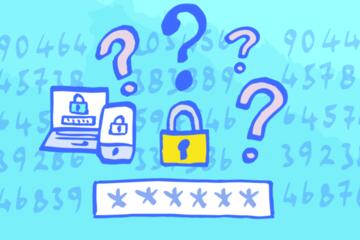
2FA Backup Codes: The Storage Mistakes That Matter
Two-factor authentication (2FA) backup codes act as an offline fallback when your phone, authenticator app, or SMS access fails. This guide explains how backup codes work, why storage mistakes lead to account lockouts, and how to store them safely across devices and paper. You’ll learn practical steps for choosing a storage method, testing recovery, and avoiding common errors, with realistic examples and a checklist for decision-making.
 Digital
03.10.2026
Digital
03.10.2026
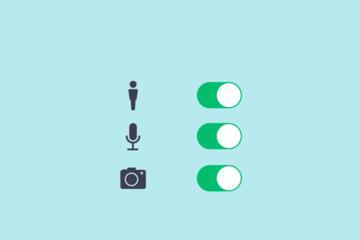
App Permissions: Which Access Requests Are Red Flags
App permission pop-ups are easy to tap through, but they can quietly expose far more data than you intended—especially in health-related apps. This article explains smartphone permissions in plain English, so you can make safer choices without needing to be a security expert. You’ll learn how permission prompts are triggered, which requests tend to be red flags (like location, contacts, microphone, or “always-on” tracking), and how to review and tighten settings after an app is installed. The guide includes practical steps for both iOS and Android, what to look for in privacy policies, and how to respond when an app asks for access that doesn’t make sense for what it claims to do.
 Digital
27.09.2026
Digital
27.09.2026
QR Code Scams: How Malicious Links Bypass Good Habits
QR code scams target people who scan quickly and trust the screen. This article explains how attackers turn a harmless-looking code into a malicious link, what technical signals matter, and which checks reduce risk. It’s for readers who use QR codes for payments, menus, tickets, and login pages. You’ll learn how QR redirects work, how to verify destinations, what to do if you already scanned, and how to spot common failure patterns.
 Digital
21.09.2026
Digital
21.09.2026
Browser Passwords vs Passkeys: Recovery Risks Compared
If you rely on your browser to remember logins—whether that’s saved passwords or newer passkeys—you should know what happens when you lose a phone, wipe a laptop, or get locked out of an account. This article breaks down how recovery really works in Chrome, Safari, and Firefox, including what gets synced, what stays stuck on one device, and where people most often run into dead ends. You’ll get a practical checklist of things to test now (before an emergency), plus straightforward ways to lower your lockout risk—like improving backup access and recovery options—so you’re not gambling on “it should be fine” when you need to sign in.
 Digital
15.09.2026
Digital
15.09.2026
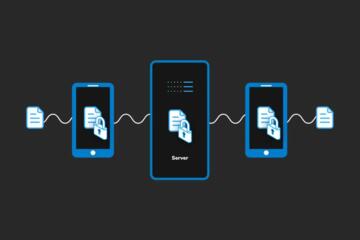
End-to-End Encryption: What It Does Not Protect
End-to-end encryption (E2EE) protects message contents from many intermediaries, but it does not cover every privacy risk. This article explains what E2EE actually encrypts, what it leaves exposed, and why metadata, endpoints, backups, and user behavior still matter. It is for readers who use secure messengers, manage accounts, or advise others. You will learn practical checks, common failure points, and how to reduce risk without assuming E2EE is a full privacy guarantee.
 Digital
09.09.2026
Digital
09.09.2026
Cloud Backup vs Sync: The Failure Modes Are Different
Cloud backup and cloud sync both move files to the internet, but they fail in different ways. This article explains how backup protects against accidental deletion, ransomware, and version loss, while sync focuses on keeping devices aligned. It’s for people managing personal photos, documents, and health-related files who want fewer surprises after a drive crash or a bad edit. You’ll learn the failure modes, what to test, and how to choose settings that match your risk.
 Digital
03.09.2026
Digital
03.09.2026
USB-C Cables: Why Connector Shape Means Nothing
USB-C cables are sold with the same plug shape, yet they behave very differently. This article helps informed readers understand why connector appearance does not predict charging speed, data reliability, or safety. You’ll learn how USB-C signaling works, which cable specs actually matter, how to check them on packaging or with simple tests, and what to do when devices refuse to charge or negotiate data.
 Digital
28.08.2026
Digital
28.08.2026
Wi-Fi 7: Compatibility Traps Before You Upgrade
Wi‑Fi 7 can improve throughput and reduce latency, but upgrades often fail because devices, drivers, and router settings do not match. This guide helps informed home and small-office users spot compatibility traps before buying new gear. You’ll learn what Wi‑Fi 7 features require, how to check device support, what to test after installation, and which settings commonly cause slowdowns or dropouts.
 Digital
22.08.2026
Digital
22.08.2026
Passkeys vs Passwords: Mistakes During Account Setup
Account security affects every login to health portals, banking, and email. This article explains how passkeys and passwords work during account setup, where people commonly make mistakes, and how those choices affect recovery, device loss, and phishing risk. You’ll learn practical setup steps, what to check in your account settings, and how to test recovery before you rely on a new sign-in method.